Nest XL Standard

From raw DXF to a quote you can send.

Standard gives fabricators a serious local workflow for preparing geometry, controlling how parts may nest, estimating real production cost, creating branded customer quotes, and exporting production DXF files.

Download Demo
Nest XL Standard software
AI-assisted production nesting

AI Assist and Nest Genius start working before you press Run.

Use the software manually, or let AI Assist take visible control of the nesting decisions that affect material yield.

AI

AI Assist

Run AI Nest automatically selects spacing, edge margin, kerf allowance, legal rotations, mirroring, usable-hole placement, optimizer strategy, and improvement time for the current job. The controlled fields are visibly locked while AI Assist is active so the operator always knows AI is in control. For cutting-machine safety, AI Assist always keeps a positive part separation and never enables part touching or shared-line cutting automatically.

Automatic setupVisible AI controlRun AI Nest
NG

Nest Genius background inspection

Immediately after DXF import, Nest Genius analyzes each contour, internal hole, legal orientation, mirror option, and part-to-hole fit in the background. The operator can continue preparing the job while reusable geometry intelligence is cached for a faster, stronger nest.

Starts on importNon-blocking analysisShape intelligence
01

Manual control remains available

Turn AI Assist off at any time to return spacing, margins, rotation, mirroring, direction, hole use, and optimizer settings to the operator.

AI or manualClear ownership
02

Exact production validation

AI-generated and manually edited layouts still pass exact overlap, boundary, edge-margin, and spacing checks before production export.

Conflict checkExact geometry

Prepare every part properly

Control the geometry before the optimizer touches it.

Standard gives you the tools to define what is allowed instead of accepting a blind automatic result.

DXF geometry review

Preserve exterior profiles and internal holes, identify open geometry, review marking or bend lines, and decide whether questionable entities should be ignored, marked, or cut.

Rotation, grain, and mirroring

Fix a part in place, choose legal rotation increments, set grain direction, permit mirrored orientations, and prevent unwanted flips when manufacturing rules matter.

Priorities, groups, and holes

Assign priorities, keep assemblies organized, set quantities, and allow smaller parts to occupy usable internal holes when the geometry and job rules permit it.

A real quoting engine

The quote is built from the job—not from guesswork.

Standard connects the nest to the numbers that determine profitability. It estimates material and machine cost using the actual project, then lets you shape the final selling price and presentation.

  • Sheet cost and material usage
  • Total cut length, pierce count, cut speed, and pierce delay
  • Machine hourly rate and estimated production time
  • Markup, setup/programming, shipping, tax, and adjustments
  • Editable or fully custom quote line items
  • Your logo, company information, customer information, validity, notes, and payment terms
  • Professional customer-facing PDF quote
STANDARD QUOTINGPrice the work before it reaches the machine
Production baseMaterial + machine
Commercial controlsMarkup + extras + tax
PresentationBranded customer PDF
A repeatable path from nest to selling price.
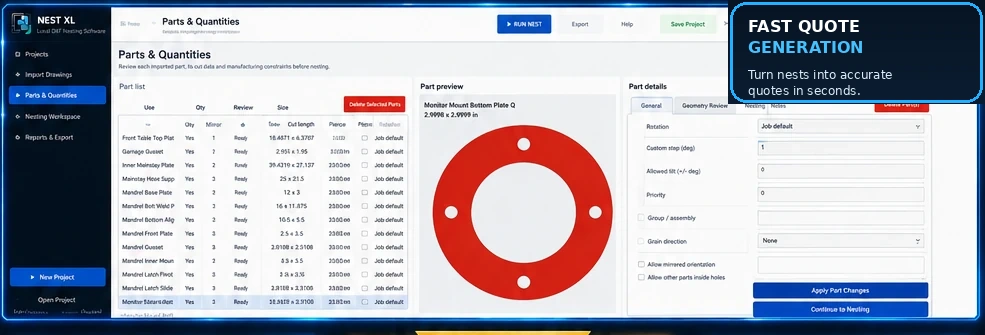
The workspace at full size

Parts, rules, and geometry stay visible together.

Review the list, preview the selected part, and change its manufacturing constraints without losing sight of the job.

Large Nest XL Standard Parts and Quantities workspace
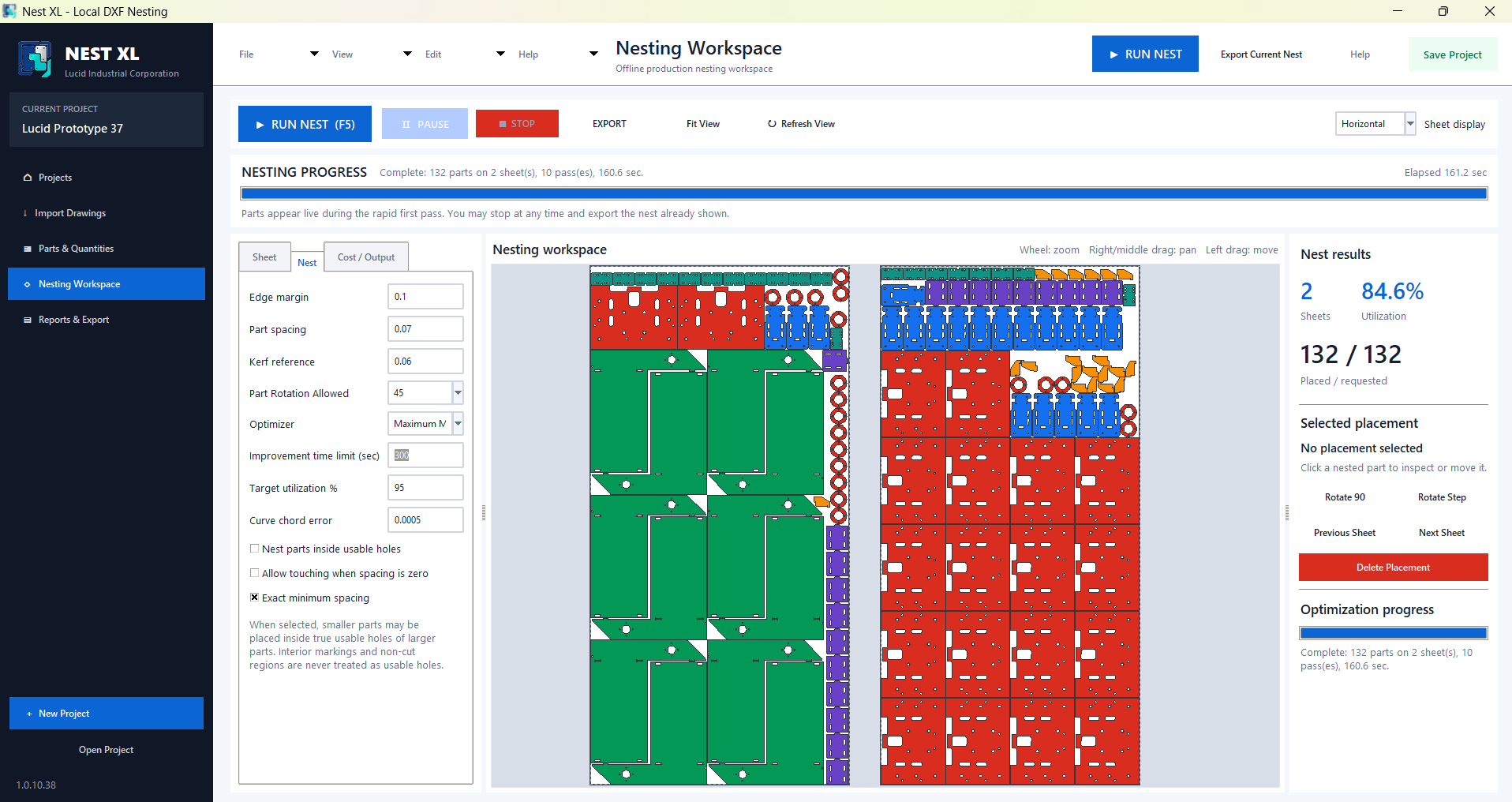
Automatic nesting with operator control

Run the nest, inspect it, and keep control.

Multiple sheets

Continue across the available sheet count while maintaining the project margin, part spacing, and legal orientations.

Complex geometry

Work with concave parts, internal holes, circles, repeated populations, and mixed part families.

Live workspace

Watch progress, pause or stop, inspect placements, fit the view, and review the result before export.

Reports and DXF

Create PDF and CSV reports in Demo Mode. An active Standard license unlocks production DXF export.

Standard Monthly
$49/ month

Ongoing Standard export access and the latest applicable Standard releases while the subscription remains active.

  • One authorized computer
  • Monthly recurring access
  • Complete Standard workflow
  • Manage or cancel through billing portal
Standard 24-Hour Pass
$24.99one time

The complete Standard feature set for one urgent production window with no recurring charge.

  • Starts at first activation
  • 24 continuous hours
  • Production DXF export
  • Returns to Demo Mode afterward

Your own drawings are the best demonstration.

Install Standard, import a real job, work through geometry, nesting, costing, and quoting, and purchase only when you are ready to export.