
Collect the parts
Import DXF geometry, set quantities, inspect dimensions, preserve holes, and review geometry concerns.
From a handful of brackets to a large mixed fabrication order, Nest XL helps you organize part quantities, manufacturing constraints, sheet choices, job cost, customer pricing, remnant value, and production output.
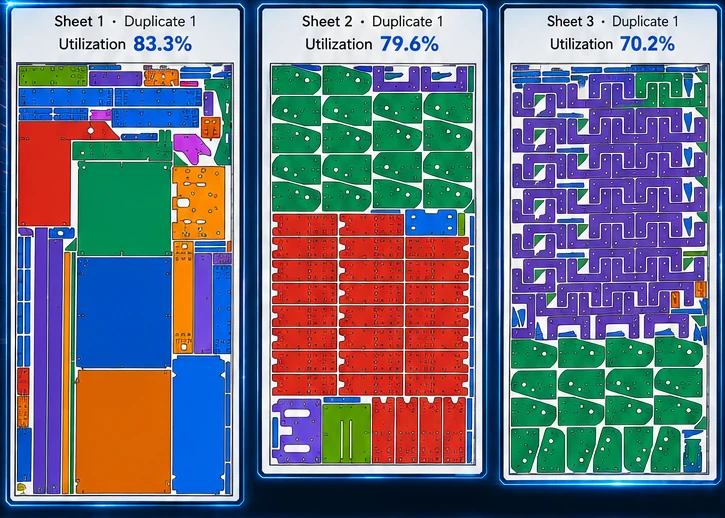
Nest XL connects geometry preparation, nesting rules, material cost, machine time, quoting, reporting, and production output so the finished nest carries useful business information—not just coordinates.
Import DXF geometry, set quantities, inspect dimensions, preserve holes, and review geometry concerns.
Use grain direction, mirror rules, angle limits, priorities, assemblies, spacing, and margins.
See how parts occupy one or more sheets and use actual sheet dimensions and unit costs in job calculations.
Corporate can archive quotes, mark them In Process, consume stock, create remnants, and retain an audit trail.
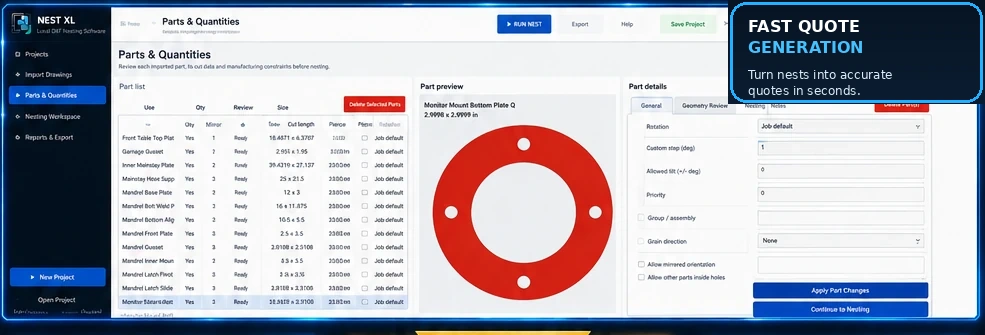
Use quantities, rotation increments, fixed orientation, mirroring permission, grain direction, priority, groups, spacing, margins, and nesting inside usable holes. Review open geometry and bend lines before they become production problems.
Material usage, sheet cost, cut length, pierce count, cut speed, pierce delay, machine hourly cost, setup, shipping, tax, markup, and custom items can all contribute to a professional customer quote.
Clear answers for evaluating Nest XL in a production workflow.
No. It is intended for imported DXF geometry, including irregular contours, concavities, and parts with holes.
Yes. The quote engine can combine material, machine, setup, markup, shipping, tax, and custom items.
Corporate tracks full sheets, approved sizes, quantities, cost, material metadata, irregular remnants, production consumption, and remnant creation.
Demo users can evaluate reports and quoting. A valid license is required for production DXF export.
Demo Mode does not expire. Import, prepare, nest, cost, and quote. Activate a Standard or Corporate license when you are ready to export production DXF files.
Install either edition and use it in Demo Mode for as long as needed. A valid license is required only when exporting production DXF files.