
Record full sheets
Track material, thickness, dimensions, quantity, unit cost, heat, location, and storage information.
Nest XL Corporate connects sheet selection, nesting, quote management, production release, stock consumption, and remnant creation so valuable leftovers stay visible and reusable.
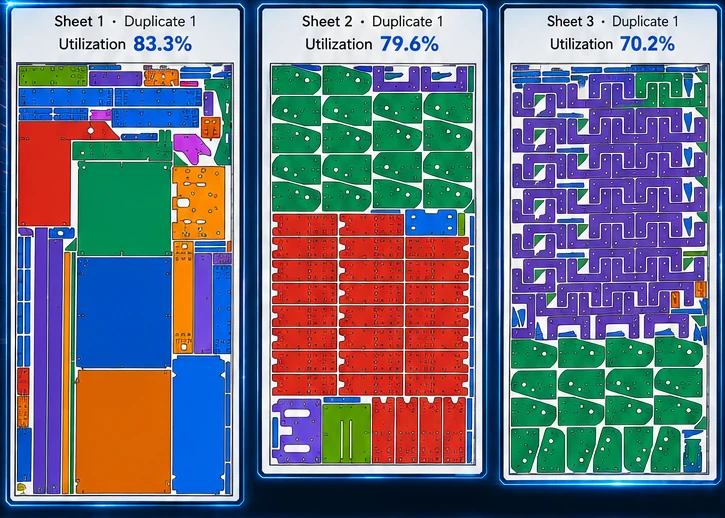
Nest XL connects geometry preparation, nesting rules, material cost, machine time, quoting, reporting, and production output so the finished nest carries useful business information—not just coordinates.
Track material, thickness, dimensions, quantity, unit cost, heat, location, and storage information.
Save qualifying Clean Drop and Exact Skeleton geometry with identifying material and storage metadata.
Choose among approved sheet sizes and available quantities instead of nesting against imaginary stock.
When work moves into production, deduct the used material and return qualifying remnants to inventory.
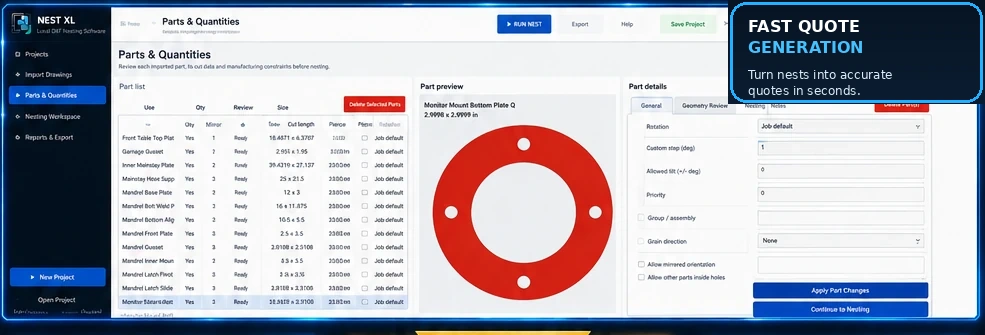
Use quantities, rotation increments, fixed orientation, mirroring permission, grain direction, priority, groups, spacing, margins, and nesting inside usable holes. Review open geometry and bend lines before they become production problems.
Material usage, sheet cost, cut length, pierce count, cut speed, pierce delay, machine hourly cost, setup, shipping, tax, markup, and custom items can all contribute to a professional customer quote.
Clear answers for evaluating Nest XL in a production workflow.
It is a usable contiguous leftover area that can be retained as an irregular piece for a future job.
It represents the remaining sheet geometry after parts are cut, preserving the actual usable spaces for later nesting.
Corporate contains the deeper internal stock, automatic sheet selection, remnant inventory, and production workflow features.
The workflow can retain material, cost, dimensions, and geometry information so remnants can be treated as managed assets rather than unidentified scrap.
Demo Mode does not expire. Import, prepare, nest, cost, and quote. Activate a Standard or Corporate license when you are ready to export production DXF files.
Install either edition and use it in Demo Mode for as long as needed. A valid license is required only when exporting production DXF files.