
Start with the geometry
Use imported DXF parts, quantities, cut length, pierce data, and the resulting nest as the estimate foundation.
Instead of pricing from memory, Nest XL helps build the quote from the job: material usage, sheet cost, cut length, pierces, speed, delay, machine hourly rate, setup, markup, shipping, tax, adjustments, and custom line items.
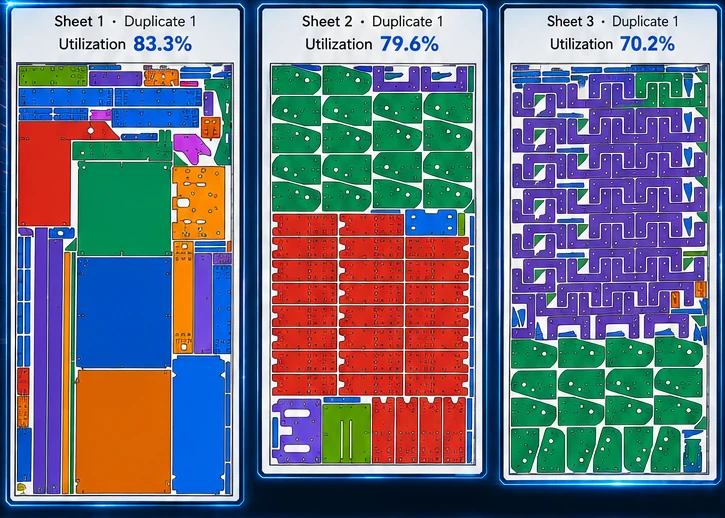
Nest XL connects geometry preparation, nesting rules, material cost, machine time, quoting, reporting, and production output so the finished nest carries useful business information—not just coordinates.
Use imported DXF parts, quantities, cut length, pierce data, and the resulting nest as the estimate foundation.
Apply material prices, machine hourly cost, speed, pierce delay, setup, and other operating inputs.
Add markup, tax, shipping, adjustments, and custom items without losing the underlying cost picture.
Corporate archives the PDF and project snapshot, tracks status and expiration, and reopens approved work for production.
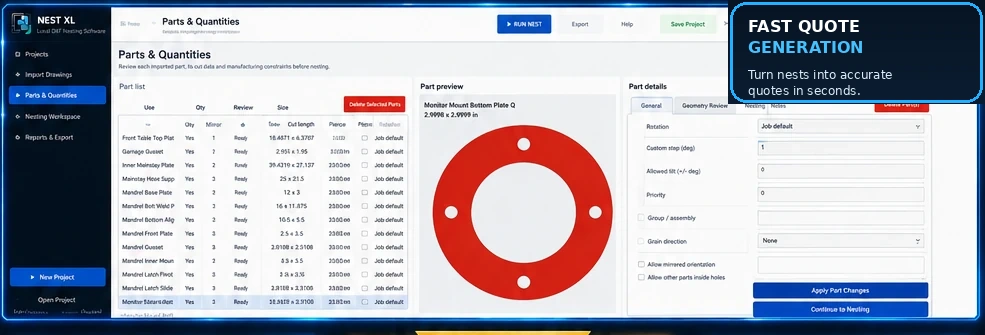
Use quantities, rotation increments, fixed orientation, mirroring permission, grain direction, priority, groups, spacing, margins, and nesting inside usable holes. Review open geometry and bend lines before they become production problems.
Material usage, sheet cost, cut length, pierce count, cut speed, pierce delay, machine hourly cost, setup, shipping, tax, markup, and custom items can all contribute to a professional customer quote.
Clear answers for evaluating Nest XL in a production workflow.
Yes. Setup, programming, shipping, adjustments, tax, and fully custom line items can be added to the quote.
Corporate is designed to preserve quote PDFs and project snapshots so prior customer work can be searched and reopened.
Corporate can move approved work into production, consume the selected stock, and create qualifying remnants.
Yes. Demo Mode allows evaluation of the quoting workflow. Licensing is required for production DXF export.
Demo Mode does not expire. Import, prepare, nest, cost, and quote. Activate a Standard or Corporate license when you are ready to export production DXF files.
Install either edition and use it in Demo Mode for as long as needed. A valid license is required only when exporting production DXF files.