
Review incoming drawings
Inspect geometry, internal holes, dimensions, cut length, pierces, and quantities before committing material.
For shops that receive customer DXF files, Nest XL organizes the work before it reaches CAM: geometry review, quantities, orientation rules, multi-sheet nesting, material estimates, machine-time inputs, professional quotes, and nested DXF output.
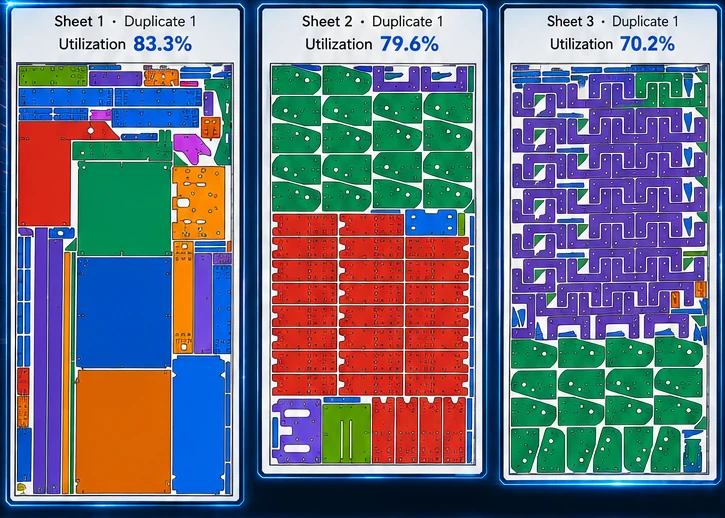
Nest XL connects geometry preparation, nesting rules, material cost, machine time, quoting, reporting, and production output so the finished nest carries useful business information—not just coordinates.
Inspect geometry, internal holes, dimensions, cut length, pierces, and quantities before committing material.
Control grain, rotations, fixed angles, mirrored parts, grouping, margins, and spacing.
Combine material cost with cut length, pierce count, cut speed, pierce delay, and machine hourly rate.
Add setup, programming, markup, shipping, tax, notes, payment terms, and your branding to a customer-facing PDF.
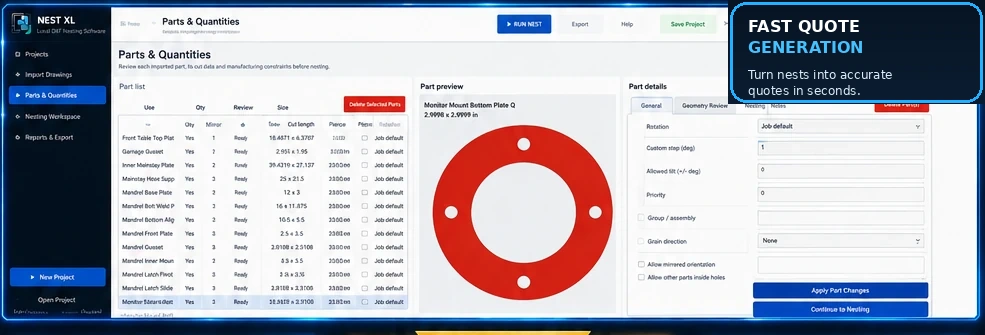
Use quantities, rotation increments, fixed orientation, mirroring permission, grain direction, priority, groups, spacing, margins, and nesting inside usable holes. Review open geometry and bend lines before they become production problems.
Material usage, sheet cost, cut length, pierce count, cut speed, pierce delay, machine hourly cost, setup, shipping, tax, markup, and custom items can all contribute to a professional customer quote.
Clear answers for evaluating Nest XL in a production workflow.
Nest XL focuses on DXF preparation, nesting, costing, quoting, material control, and DXF output. Machine-specific tooling, leads, technology tables, and G-code remain in the compatible CAM system.
The quoting workflow can include pierce count, pierce delay, cut speed, and machine hourly cost as estimate inputs.
Yes. Corporate adds full-sheet stock, irregular remnants, automatic sheet selection, stock consumption, and remnant creation.
Yes. Demo Mode lets you import and nest without an expiration date before licensing production DXF export.
Demo Mode does not expire. Import, prepare, nest, cost, and quote. Activate a Standard or Corporate license when you are ready to export production DXF files.
Install either edition and use it in Demo Mode for as long as needed. A valid license is required only when exporting production DXF files.